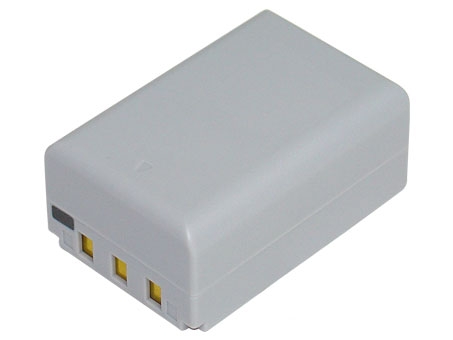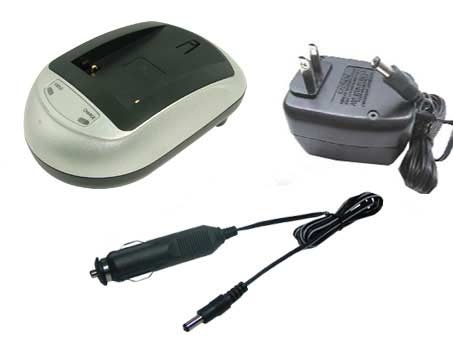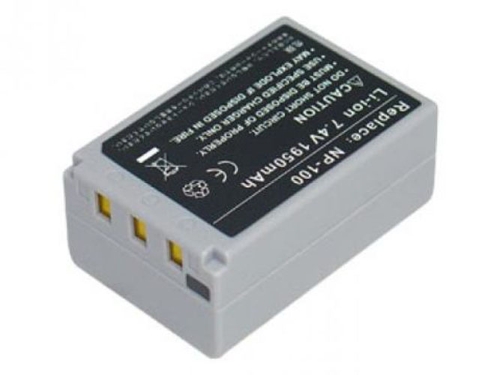

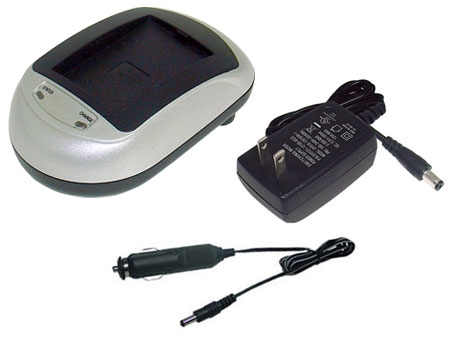
Casio Np-100 Battery Chargers For Casio Exilim Pro Ex-f1, Exilim Pro Ex-f1 repla...
$51.74
Zoom on mouse hover, image is for reference only.


Specification
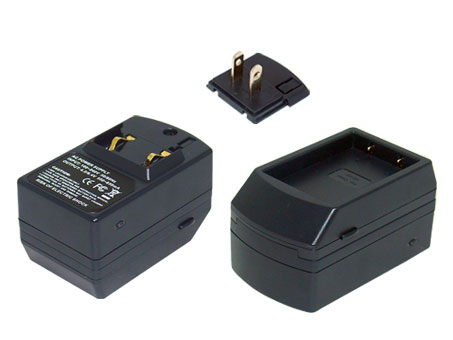
Package include:
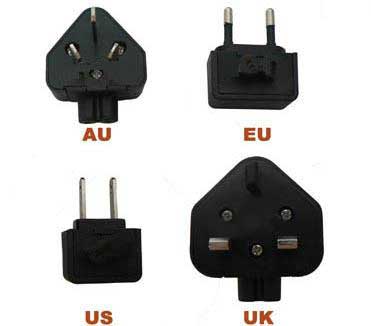
We will send one of the corresponding wall plug according to you based on your delivery address of the country. If you need the different wall plug used in your country, you can leave message when you place order or contact us.
 Product Manual - Instruction Manual
If you want to buy different color or similar items, please contact us.
Compatible CASIO Part Numbers
Please use the key combination [Ctrl + F] to quick find Part numbers / model numbers below.
Compatible CASIO Chargers Models
If your compatible model is not list on here, please feel free to contact us before purchase!
Disclaimer:
www.secure-battery.com doesn't affiliate with any of the manufacturers listed. The products sold in this catalog have not been supported or endorsed by any of such manufacturers. Any registered trademarks or model names listed above are identified as purposes of showing compatibility only.
Shipping Information




| Item location | Shipping cost (handling cost included) | Estimated delivery time |
|---|---|---|
| United States | US$0 | 3 - 7 business days |
| China | US$0 | 15 - 20 business days |
If you want get a discount, please feel free to contact us. [more...]
Payment Information
We ONLY accept PayPal payment. PayPal allows you to pay by Credit Card, Debit cards, Bank transfers and PayPal account Balances, For more information Please check at www.paypal.com
We will send order information to your email address when you complete place order, if you don't receive email, please check your email SPAM folder, or you can track your order information with your email address and full name from Order Tracking link.
If you have any question, please contact our customer service first, we will do our best to solve it for you, please don't open dispute or claim on PayPal without contact us.
 |
Return & Warranty
More return & warranty information, please click here [more...]
Our Storage

FAQ
Tip 1: You have to find your specific laptop model before ordering a correct battery. How to check your laptop model?
Step 1: Press Windows + R to open Run window.
Step 2: Input "msinfo32" in the empty box and
click OK to open System Information.
Step 3: Keep in the System Summary section, and you will
find the System Name item in the right pane.
Tip 2: Remove Battery from Laptop to find your laptop battery part number
Step 1: Switch off the laptop and unplug the power cable in case of electric shock
Step 2:
Remove the back panel with the screwdriver. You should to this with care avoiding any harm to the
laptop components.
Step 3: Disconnect the cable connected to the battery and then take out the
battery. After that, you can check the specifications of your battery
Tip3: How to check battery part number when I can not remove battery?
If your laptop has a built-in, non-removable battery or you don't have tools to remove battery, use one of the other methods explained on this page to find information about your battery. How to find the laptop battery specifications?
First of all, you need to assure the model of your laptop or the part number of your laptop battery. Then look for the battery you need at Secure-Battery. Finally, you can check whether the battery you find is compatible with your laptop or not on the "Compatibility" table (for example, Lenovo ThinkPad P72). If you don't know how to find the right battery for your laptop, you can click "How to find one correct battery for my laptop?" for more details. Moreover, you can click the link "Contact Us" on the bottom of this page to ask us.
Normally we will send you the tracking number within 1-2 business days, you can track order through "Order Tracking" link from bottom of website page. If you have any questions please click here to contact us, our customer service center will respond within 24 hours.
Yes. The capacity of a battery does not affect its compatibility in anyway. A higher capacity battery will simply power your device for longer before you need to charge it.
It is important to check the dimensions and weight in addition to the capacity because sometimes higher capacity batteries can be larger in size, making them impractical for some uses even though they are compatible.
The charm of a notebook computer is you can easily transport it from one location to the next. Whether you are moving the laptop from one room in your house to another or taking it on vacation with you, portability is a laptop's primary asset. However, portability becomes compromised when your notebook's battery no longer charges, because you then have to keep your computer plugged in at all times. There are three primary reasons a notebook battery won't charge, and none of the resolutions are cheap.
You can check your computer's remaining battery life by clicking your battery icon or accessing the 'Power Options' section within your computer's control panel. Your laptop battery life depends on the power capacity of your laptop battery and the amount of energy your computer draws.
Compatible CASIO Part Numbers
Please use the key combination [Ctrl + F] to quick find Part numbers / model numbers below.
Compatible CASIO Chargers Models
If your compatible model is not list on here, please feel free to contact us before purchase!
Disclaimer:
www.secure-battery.com doesn't affiliate with any of the manufacturers listed. The products sold in this catalog have not been supported or endorsed by any of such manufacturers. Any registered trademarks or model names listed above are identified as purposes of showing compatibility only.
Shipping Information
| Item location | Shipping cost (handling cost included) | Estimated delivery time |
|---|---|---|
| United States | US$0 | 3 - 7 business days |
| China | US$0 | 15 - 20 business days |
If you want get a discount, please feel free to contact us. [more...]
Payment Information
We ONLY accept PayPal payment. PayPal allows you to pay by Credit Card, Debit cards, Bank transfers and PayPal account Balances, For more information Please check at www.paypal.com
We will send order information to your email address when you complete place order, if you don't receive email, please check your email SPAM folder, or you can track your order information with your email address and full name from Order Tracking link.
If you have any question, please contact our customer service first, we will do our best to solve it for you, please don't open dispute or claim on PayPal without contact us.
|
Return & Warranty
More return & warranty information, please click here [more...]
FAQ
Tip 1: You have to find your specific laptop model before ordering a correct battery. How to check your laptop model?
Step 1: Press Windows + R to open Run window.
Step 2: Input "msinfo32" in the empty box and
click OK to open System Information.
Step 3: Keep in the System Summary section, and you will
find the System Name item in the right pane.
Tip 2: Remove Battery from Laptop to find your laptop battery part number
Step 1: Switch off the laptop and unplug the power cable in case of electric shock
Step 2:
Remove the back panel with the screwdriver. You should to this with care avoiding any harm to the
laptop components.
Step 3: Disconnect the cable connected to the battery and then take out the
battery. After that, you can check the specifications of your battery
Tip3: How to check battery part number when I can not remove battery?
If your laptop has a built-in, non-removable battery or you don't have tools to remove battery, use one of the other methods explained on this page to find information about your battery. How to find the laptop battery specifications?
First of all, you need to assure the model of your laptop or the part number of your laptop battery. Then look for the battery you need at Secure-Battery. Finally, you can check whether the battery you find is compatible with your laptop or not on the "Compatibility" table (for example, Lenovo ThinkPad P72). If you don't know how to find the right battery for your laptop, you can click "How to find one correct battery for my laptop?" for more details. Moreover, you can click the link "Contact Us" on the bottom of this page to ask us.
Normally we will send you the tracking number within 1-2 business days, you can track order through "Order Tracking" link from bottom of website page. If you have any questions please click here to contact us, our customer service center will respond within 24 hours.
Yes. The capacity of a battery does not affect its compatibility in anyway. A higher capacity battery will simply power your device for longer before you need to charge it.
It is important to check the dimensions and weight in addition to the capacity because sometimes higher capacity batteries can be larger in size, making them impractical for some uses even though they are compatible.
The charm of a notebook computer is you can easily transport it from one location to the next. Whether you are moving the laptop from one room in your house to another or taking it on vacation with you, portability is a laptop's primary asset. However, portability becomes compromised when your notebook's battery no longer charges, because you then have to keep your computer plugged in at all times. There are three primary reasons a notebook battery won't charge, and none of the resolutions are cheap.
You can check your computer's remaining battery life by clicking your battery icon or accessing the 'Power Options' section within your computer's control panel. Your laptop battery life depends on the power capacity of your laptop battery and the amount of energy your computer draws.
More FAQ(s), please click here [more...]
© Secure-Battery Ltd. All Rights Reserved. Designated trademarks and brands are the property of their respective owners.
All brands, product names and registered trademarks used in the website are for identification purposes only, which are the property of their respective owners. The listed brand names and model designations are only intended to show the compatibility of these products with various machines. www.secure-battery.com is not affiliated with any OEM brands. All batteries and adapters are not covered under any warranties provided by the original manufacturers.